
ESB Networks
From notification through to energisation, the moment the system is legally allowed to export. Until it is energised, the job is not really finished.

The survey, the scaffold, the install, commissioning, the ESB connection and the SEAI grant. Schedule puts the whole journey in one place, so nothing slips through the cracks.
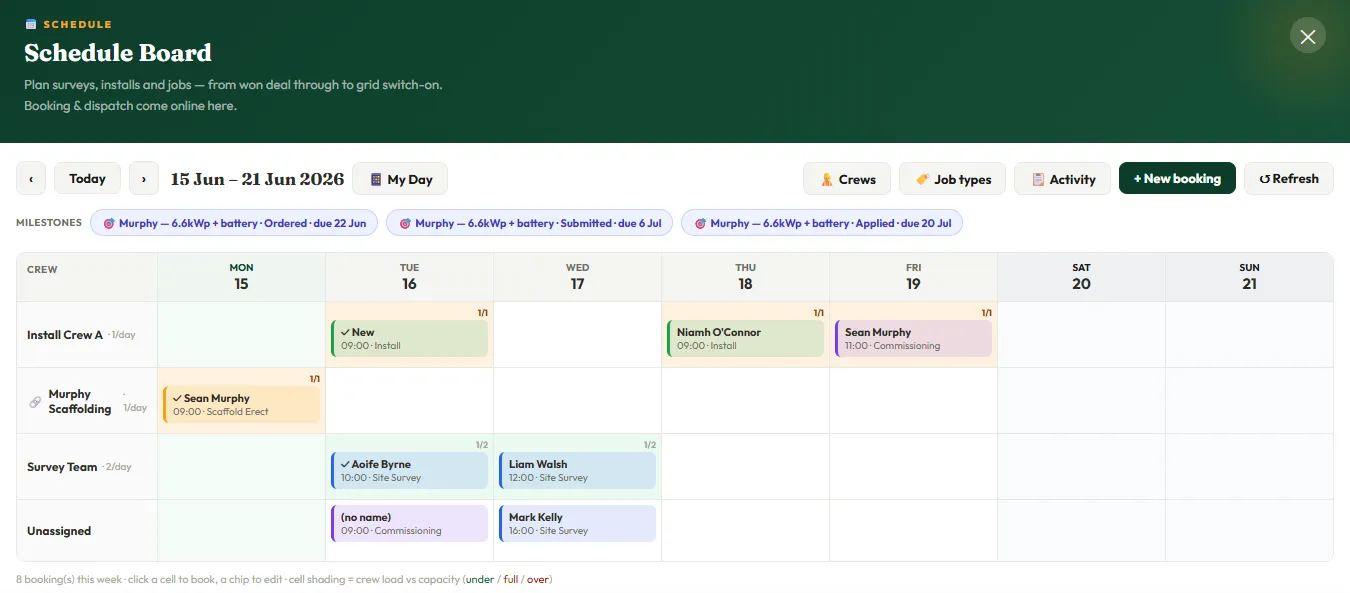
Your jobs show as colour-coded blocks. The board tells you when you have room and when you are stretched, so you stop carrying the whole week around in your head. And it is not a separate tool: Schedule is driven straight off the deals you have already won.
Schedule talks to the rest of Caolú. Book the next step straight from a won deal in your Projects pipeline, open a job's ESB and SEAI milestones in a tap, and see it all reflected in your dashboard. One record, from the kitchen-table sale to grid switch-on.
Some of the most important steps in an install have no fixed date. They are waiting-states that run for weeks and decide when the system goes live and when your money lands.
From notification through to energisation, the moment the system is legally allowed to export. Until it is energised, the job is not really finished.
Application, approval, the mandatory post-works BER, declaration and payment received. This is your money, tracked to the cent.
Stock ordered and received, and the customer's balance due on completion. Each carries a due date and turns red when it is overdue.
Your crews and subcontractors do not need a login to see what is on. One tap opens your phone's share sheet with the whole week laid out clean, ready to drop into the group chat. The phone-friendly My Day view gives whoever is on site today's jobs as simple cards, with the notes that matter: gate code, where the key is, scaffold already up.
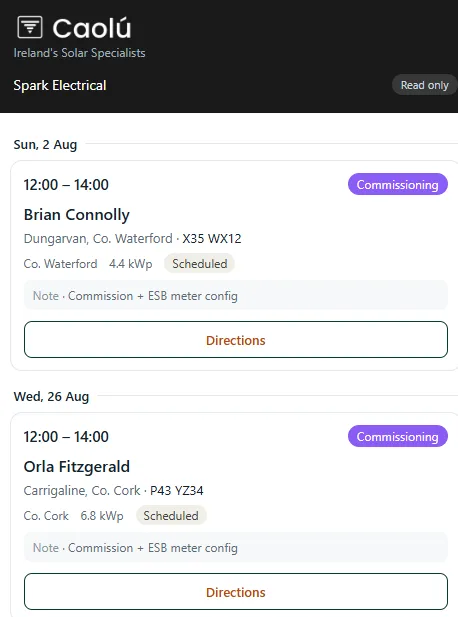
Send any crew or subcontractor a private link to just their own work. They open it on their phone and see only the jobs that are theirs, with the address and a tap for directions, the time, the customer and what to bring. It is read only, there is no login and it never costs you a seat. Change your mind and you can revoke or replace the link in a tap.
We're here to help. Send us a message and we'll be back to you within one business day.